
What’s New in February
Family Office Platform Version 2.2.0
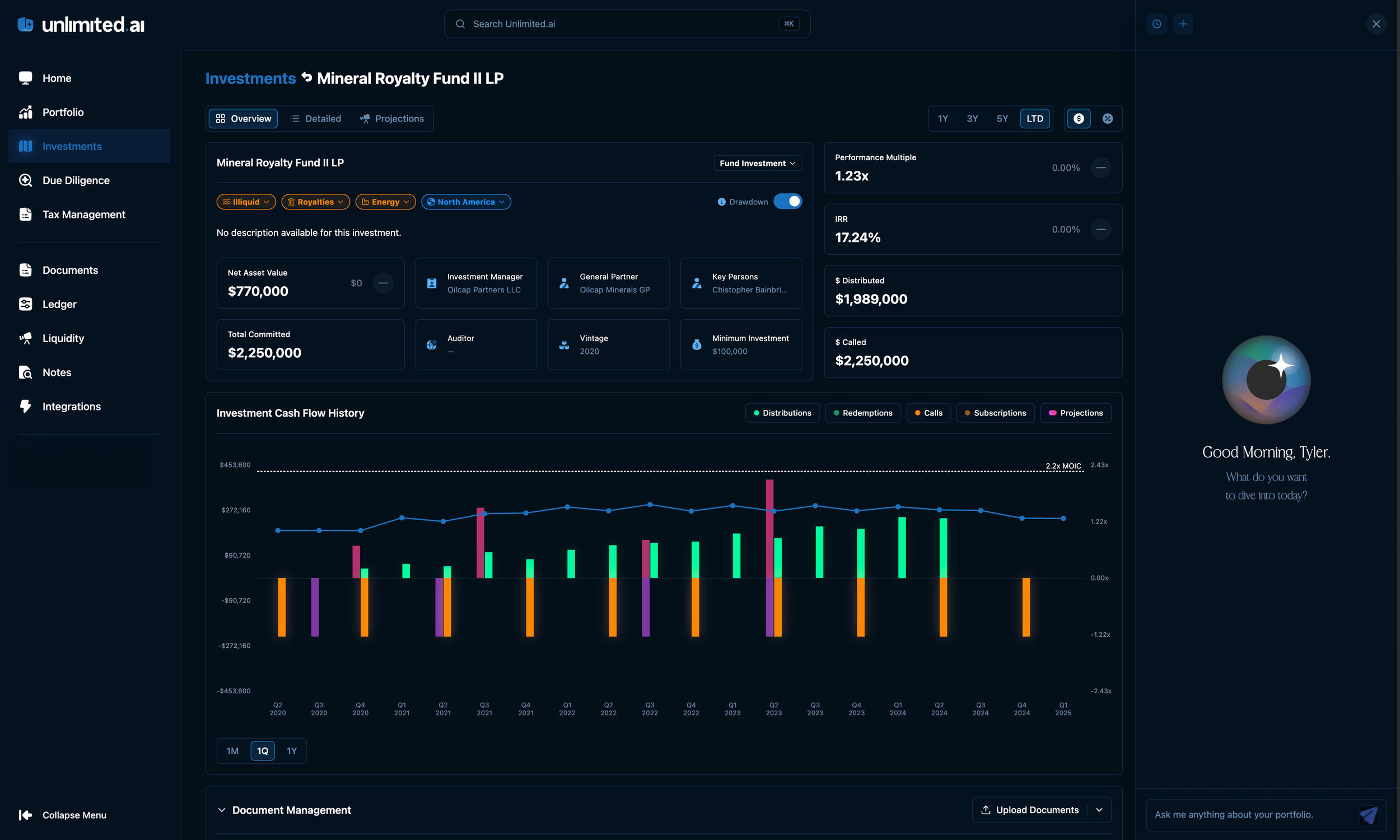
Shown here: Updated Investments page with projections and advanced tagging.
Light Mode / System Mode / Dark Mode — Your platform, your look. Head to your Settings tab to choose between a crisp Light Mode, an immersive Dark Mode, or let your device decide automatically with System Mode. A polished experience, day or night.
Context Notes — Our new Context Notes allow you to track the "Why" behind changes and edits made to your data, so your decisions never get lost to time.
Projections: Calls, Distributions & Performance Models — Plan ahead with confidence. Our new Projections functionality provides powerful forward-looking models for capital calls, distributions, and performance — enabling your team to anticipate cash flows and make more informed allocation decisions across your portfolio.
Enhanced Entity Mapping — Parent/Child Relationships — Structure your entities the way you think about them. Precisely define hierarchical relationships across your entity universe, enabling cleaner reporting, look-through entity ownership, and a more accurate representation of your organizational structure.
Direct Excel Export for Liquidity & Ledger — Get your data out, your way. Liquidity and Ledger views now support one-click Excel downloads, giving you an instantly formatted spreadsheet ready for offline analysis, board reporting, or sharing with your advisors.
Tagging & Attributes Enhancements — Greater flexibility to organize and segment your portfolio. Easily classify assets, filter views, and surface exactly what you need when you need it.
Due Diligence — Investment Universe Functionality — A smarter way to track the character of every opportunity. Classify, compare, and analyze investments by type, strategy, and risk profile — adding a rich contextual layer to your deal pipeline.
Global Search — Find anything, instantly. Search across entities, investments, documents, tags, and more from a single unified search bar. No more navigating menus to find what you're looking for.
LAILA — Deeper Intelligence Across Your Portfolio — LAILA just got smarter. Ask deeper questions, get more actionable answers — your AI-powered family office advisor is evolving with every release.
Keyboard Shortcuts — Navigate at the Speed of Thought — Power users, this one's for you. Use ↑↓ to navigate, ⏎ to select, Esc to close, ⌘J (Ctrl+J on Windows) to launch LAILA, and ⌘⌥N (Ctrl+Alt+N on Windows) to create a New Note instantly.
